


FREE & OPEN SOURCE
One script · every tool

Get the tools running in a few minutes

Everything is bundled into a single userscript per device. Grab it below and go, or follow the setup guide if it's your first time.

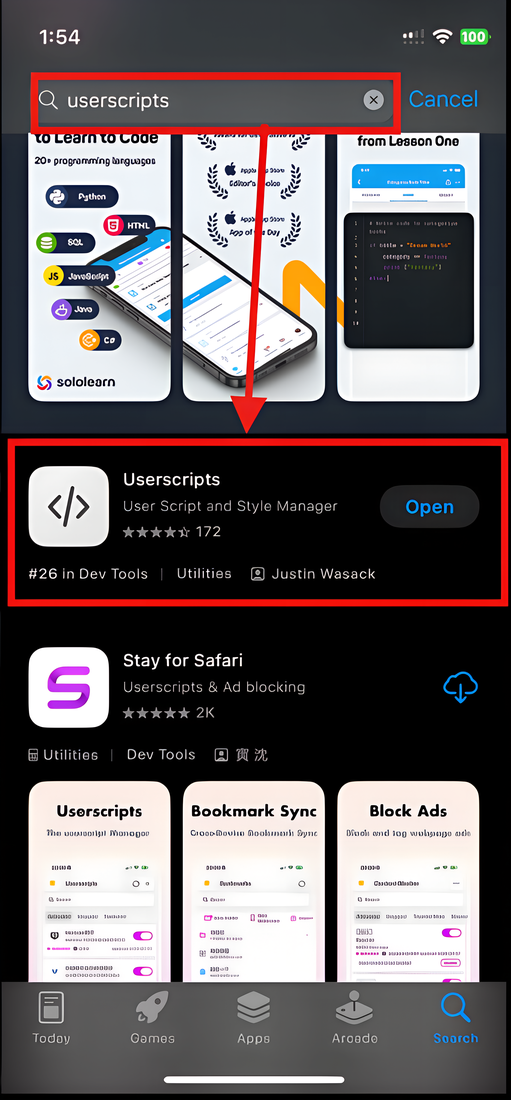
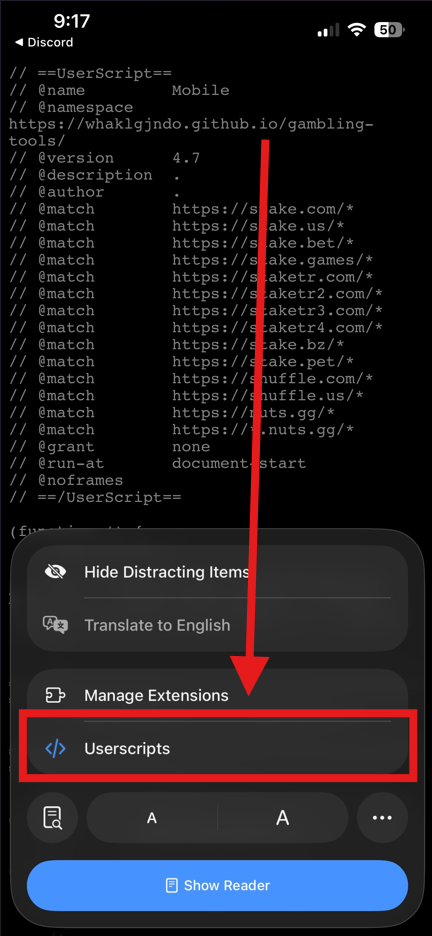
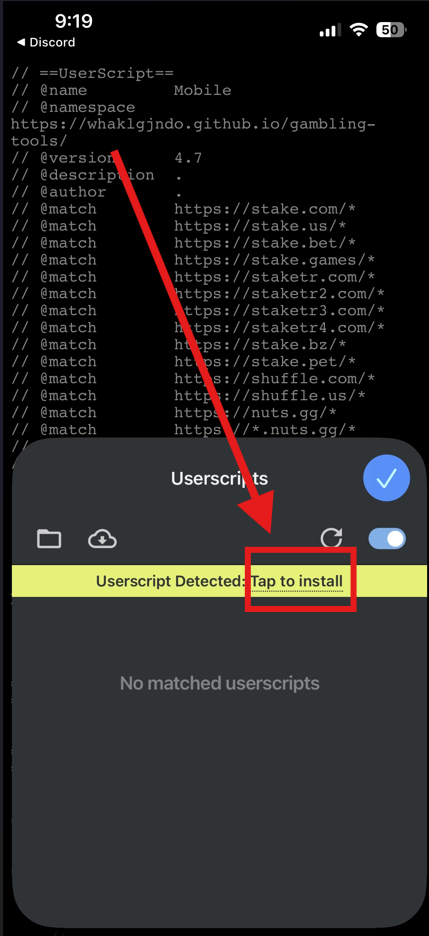
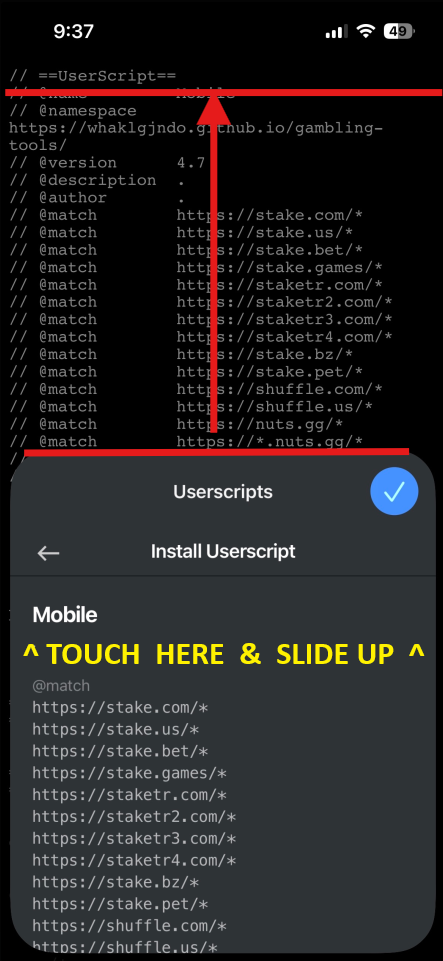
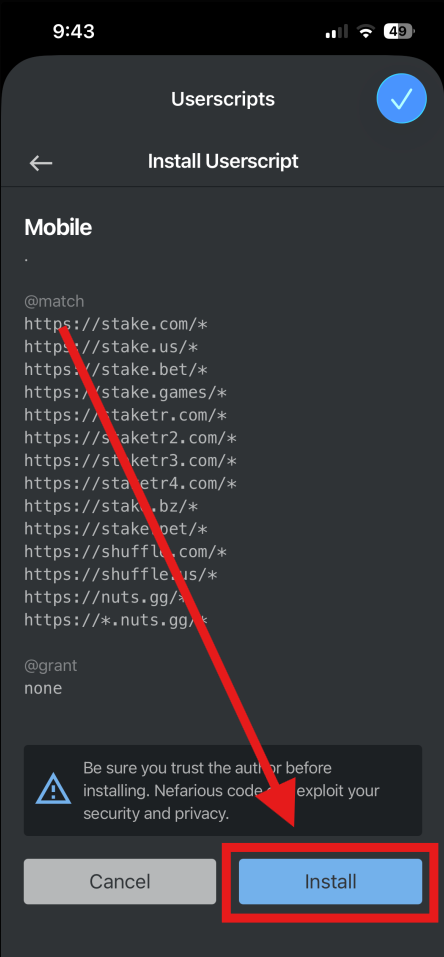
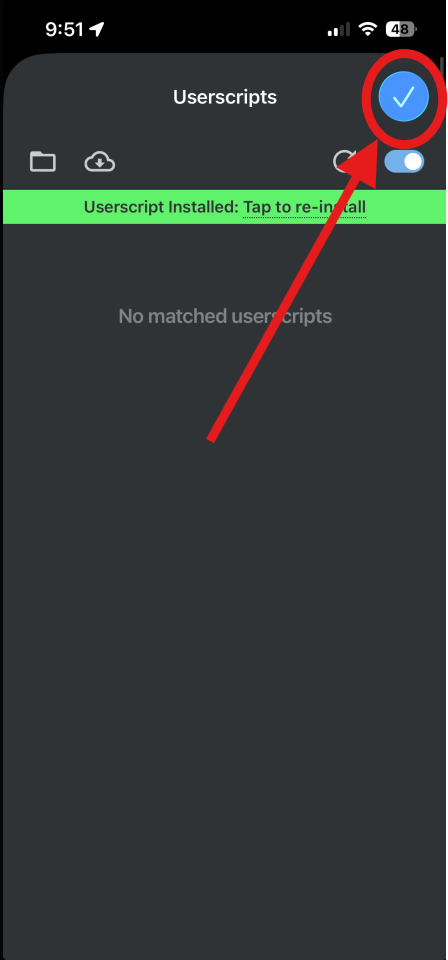
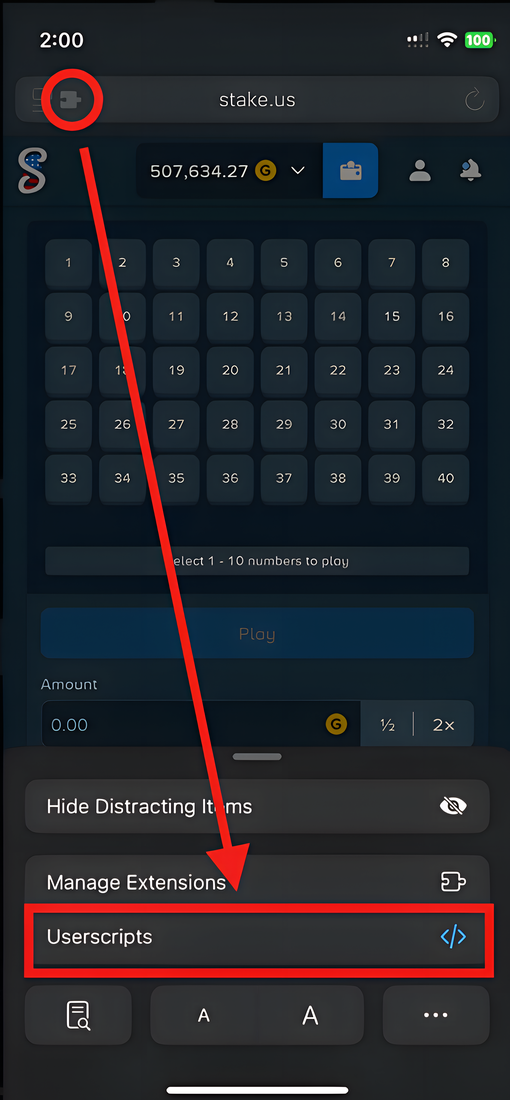
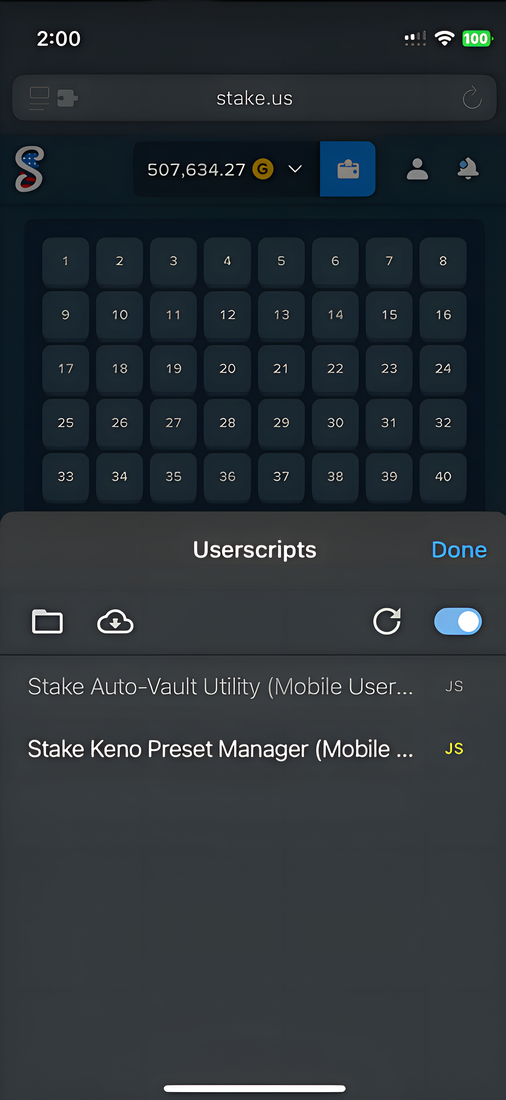
Already have Tampermonkey (desktop / Android) or Userscripts (iOS)? Click and install. First time? Follow the setup guide ↓

Stake Nuts Shuffle
Read this first

Before you start

Before diving into using these tools, it's important to understand that they were originally built for myself, and the ideas behind them were catered towards my own playstyles. That being said, you may notice that some of the tools only offer certain playstyles. This impacts Dice and Limbo the most. If you enjoy “Increase on Win (IOW)” strategies or playstyles, then I'm sure you will find those tools useful to you in some way.

These tools are free and open source, and always will be. The honest reason: none of them lower the house edge, so you'll still lose. What they do is make it easier to mess with different strategies, add auto-play where the games don't, and show you live stats the sites keep to themselves. Mostly, they just make gambling more fun.

What these tools can and can't do

Stake, Nuts, and Shuffle are provably-fair. The house edge is fixed and nothing changes it. These tools handle the clicking and show you what's happening while you play. They don't give you an edge. Nothing can.

What they do

  • Click the bet button for you so you're not doing it by hand
  • Auto-play games that don't have the autoplay options you want
  • Move a cut of your winnings into the vault as you go
  • Save your board and bet setups and reload them in a click
  • Show live stats the site doesn't: payout, streaks, next-gem odds
  • Let you test a betting pattern in the simulator before risking real money

What they don't do

  • Change the house edge, or the odds on any single bet
  • Know, predict, or affect a result
  • Make a losing approach win if you just run it long enough
  • Guarantee a profit, or that you'll get your money back

The script runs entirely in your own browser and stores its settings locally. There's no account, server, or login involved. It automates clicks and reads what's already on screen. That said, automating play on a gambling site may be against that site's terms, and it's still real money at real risk, so use your own judgement.

Glitches and bugs are still potentially present. That said, I use these tools every day and am 95% sure I have ironed out anything that might cause you to lose a large portion, or all of your balance. I've also put safety mechanisms and guardrails in place for potential balance-harming scenarios. While very rare, if you ever find a balance-deleting bug, or even ALMOST trigger something that would have wiped most of your balance, please report it and I'll address it as soon as I see the report. Don't just learn how to avoid said bug and avoid it without mentioning it. Report it. Please. It takes 5 minutes. Although I use the tools daily, others may run different settings, or a combination of settings, that might reveal an unintended behavior I haven't uncovered myself. It's important to understand these risks, and reporting these things will help anyone else using these tools.

These tools ARE NOT a way to win. The longer you play, the more the house edge adds up, and the more you risk losing. If you're going to lose, might as well have fun doing it. If it stops being fun or becomes a financial hardship, walk away. Help's at BeGambleAware, or 1-800-GAMBLER in the US.

alright, enough of that

Now, on to the cool shit.

Pick your device and let's get you set up.

↓
01 / Setup

Setup guide

Choose your device.

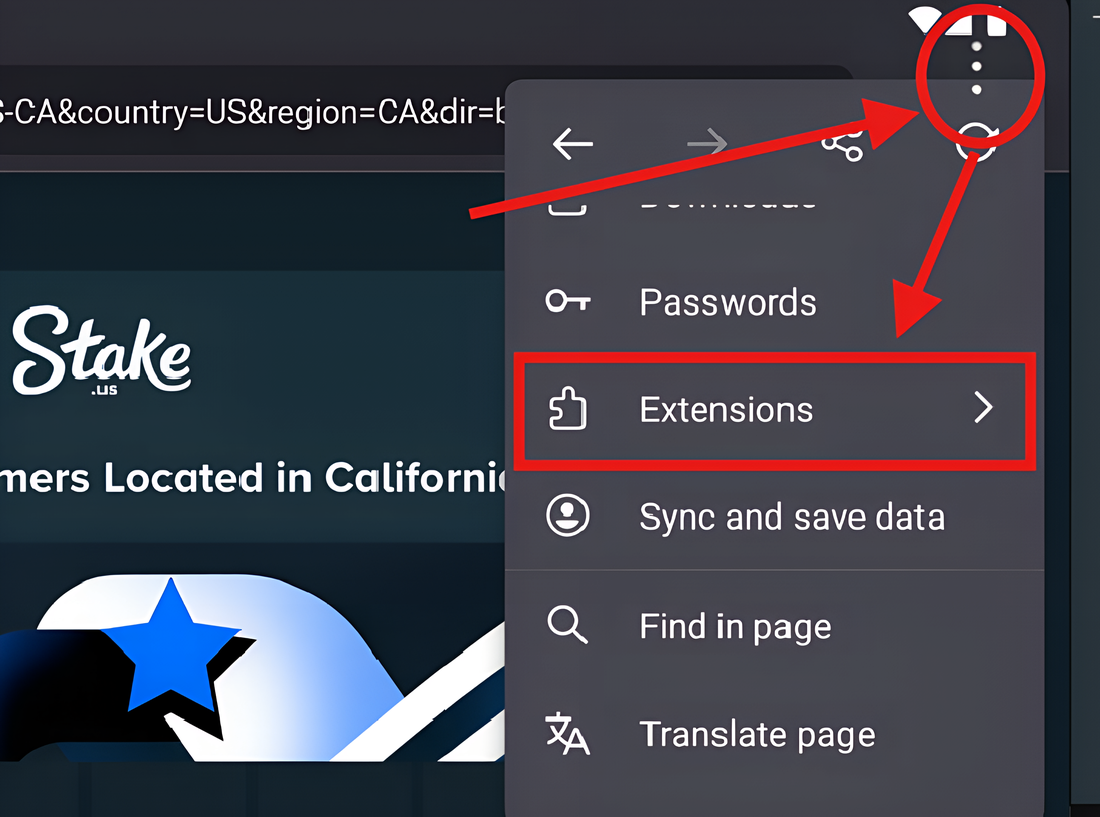
Works on any Chromium browser: Chrome, Edge, Brave, Opera. You'll install the Tampermonkey extension, flip one required switch, then add the script.
  1. Install the Tampermonkey extension

    Open the Chrome Web Store and click Add to Chrome (the same button works in Edge, Brave and Opera). Pin the icon so you can find it.

  2. Open the extension's settings

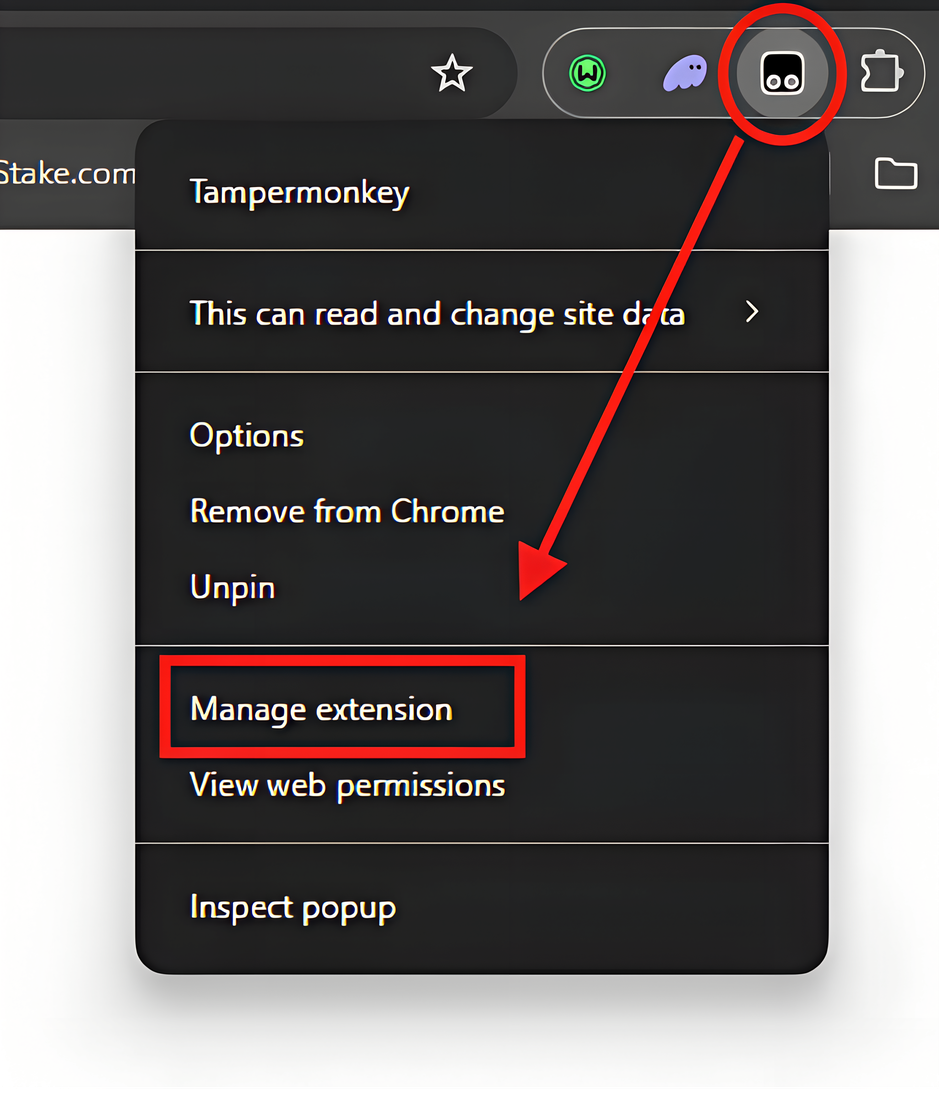
    Right-click the Tampermonkey icon near the address bar and choose Manage extension.

    Right-click the Tampermonkey icon, with Manage extension highlighted
  3. Turn on “Allow User Scripts”

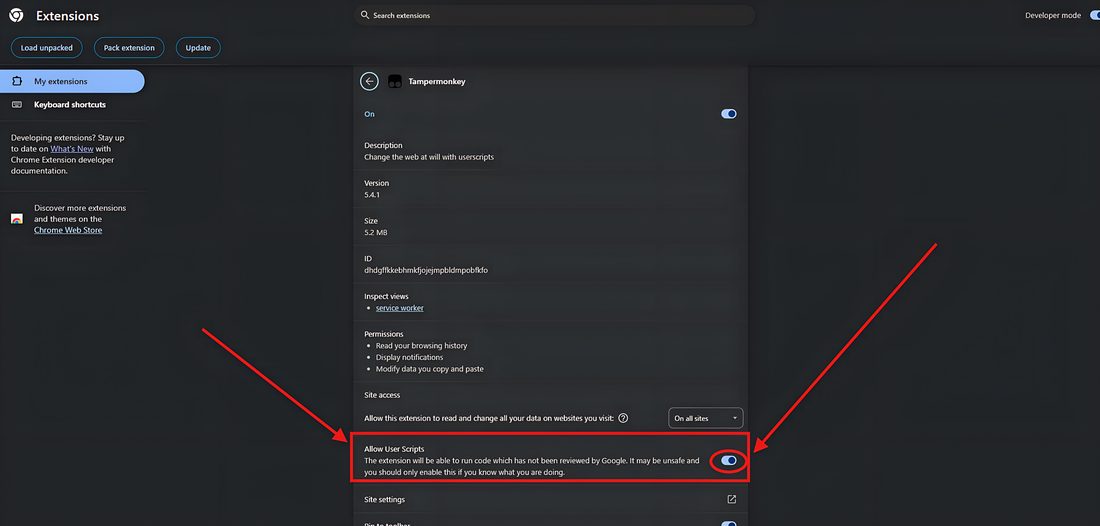
    On the extension page, scroll down and switch Allow User Scripts on. Chrome requires this. Without it, no script can run.

    Chrome extension details page with the Allow User Scripts toggle turned on
  4. Install the Desktop script

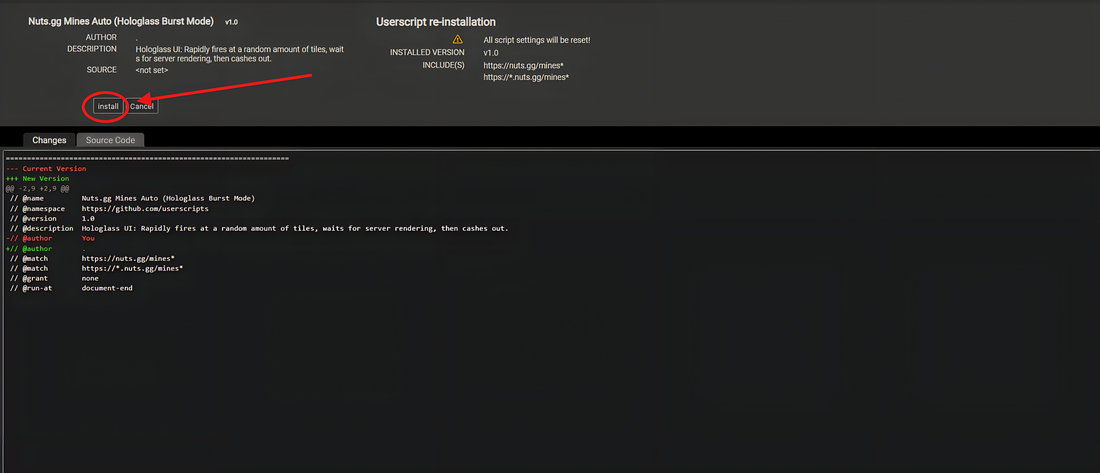
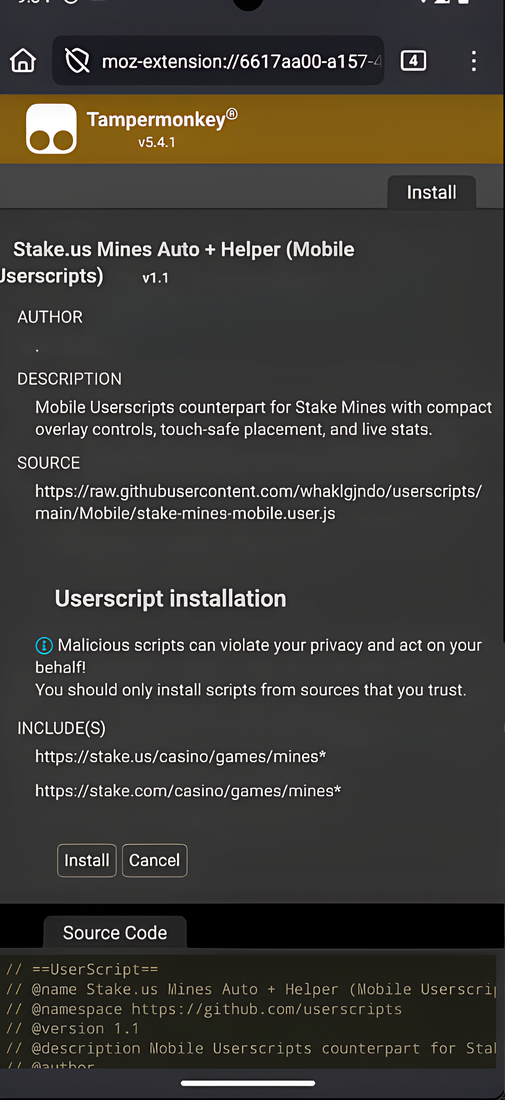
    Click the button below. Tampermonkey opens its install page. Review it and click Install.

    ⬇ Desktop script v··
    Install Desktop bundle .user.js Tampermonkey install page with the Install button highlighted
    Install page didn't open? Add it manually →

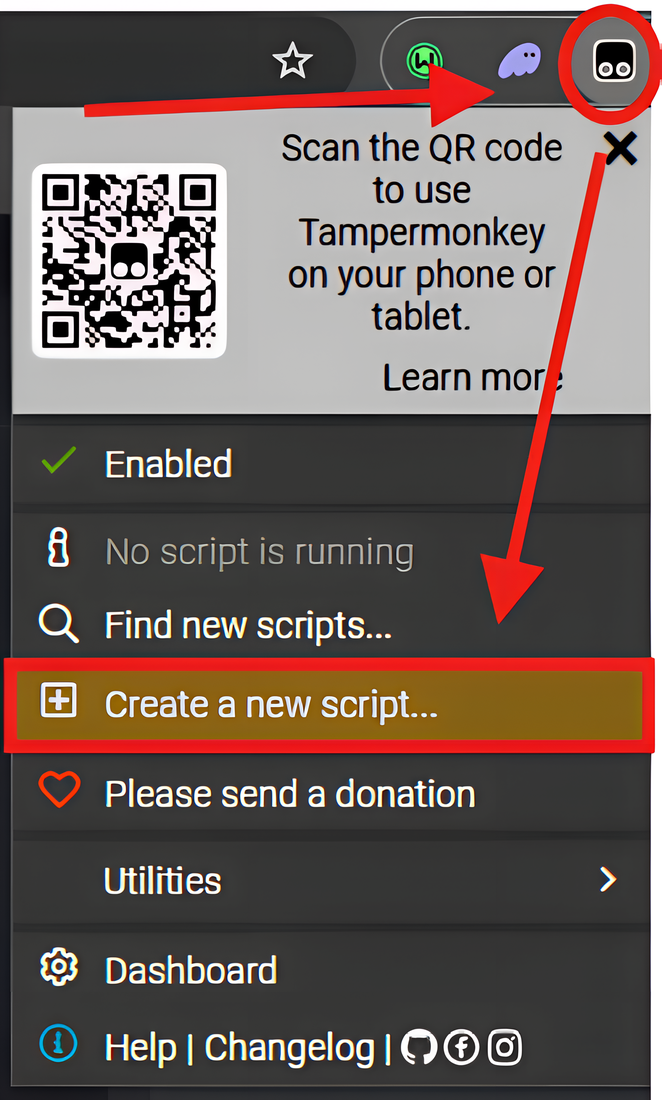
    Right-click the button above → Save link as… to download the .user.js file. Then click the Tampermonkey icon → Create a new script…

    Tampermonkey menu with Create a new script highlighted

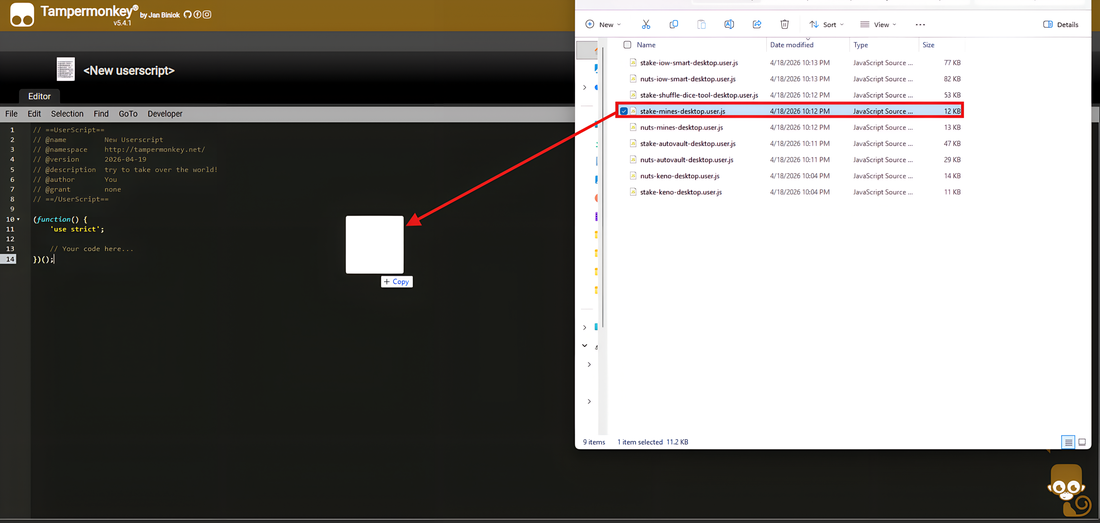
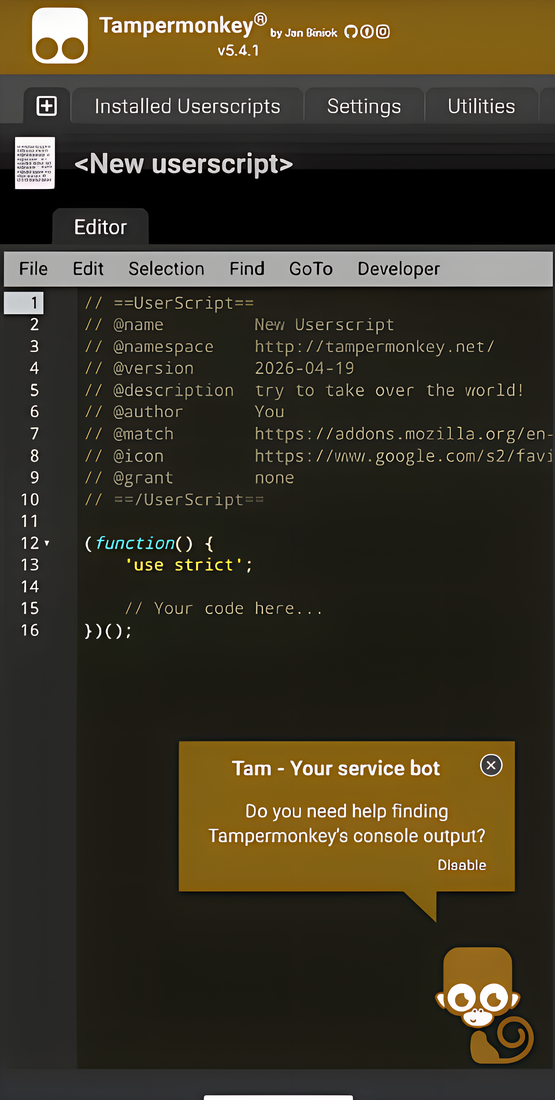
    Delete the template, then drag your downloaded file into the editor and save with File → Save (Ctrl+S).

    Dragging a .user.js file from the file explorer into the Tampermonkey editor
  5. Open the casino and refresh

    Go to Stake, Nuts or Shuffle and reload the page once. The tool panel appears automatically on supported game pages.

    stake.com / .us nuts.gg shuffle.com
    Turn tools on or off from the gear icon. Once the script is running, a gear icon sits in the bottom-left corner of the page. Click it to open the tools panel, where every tool has its own on/off switch, plus Enable matched and Disable all shortcuts at the bottom.
    The Gambling Tools gear icon
    Gear icon
    Or use the per-tool quick toggles. On each game page, small chips appear just above the gear icon, one per tool for that game. Click a chip to instantly load or unload that tool with no menus (green = on, grey = off).
    Quick-toggle chip in the enabled (green) state
    Enabled
    Quick-toggle chip in the disabled (grey) state
    Disabled
    Only if you really want to switch the whole thing off: click the Tampermonkey icon → Dashboard, then flip the on/off switch next to the script. (The gear and chips above are the easy day-to-day way; this disables everything at once.)
Updating later: when a new version drops, install it the same way. Your userscript manager replaces the old one and keeps your saved settings.
02 / What's inside

What's inside the bundle

One install gives you every tool below. They switch on automatically on the games they support, and each has a small draggable panel you control.

Auto-Vault

Credit to Ruby (of StakeStats) for the Stake autovaulter. The Shuffle and Nuts versions are basically direct copies of her Stake autovaulter.

Your discipline, automated. Auto-Vault watches your balance as you play and quietly sweeps a slice of every win straight into your vault.

Presets

Four numbers interact here, and you don't need to understand any of them to use it. Pick a preset and it fills them all in:

  • Balanced — vaults under most conditions, a meaningful slice each time.
  • Big Wins — skims a little as you go, then takes a much bigger bite when your balance actually jumps, and checks less often in between. Built for slots, and just as good for keno or for chasing a big multiplier on any original.
  • Fast Paced — for dice, limbo and anything else played at speed. Profit arrives steadily and rarely spikes, so big-win handling is off and the ordinary skim does the work. The interval banks as often as the site allows: there is a cap of 50 vault deposits an hour, and this sits just under it at 48.
  • Aggressive — bigger slices, and a much lower bar for what counts as a big win.
  • Custom — your own numbers. Change any field by hand and the selector switches to Custom on its own, so the label always matches what is actually set.

Not sure which to pick? Tap the small ⓘ next to the preset for a one-line description of each. Whatever you last used — a preset or your own custom numbers — is remembered and restored next time, per site.

Start on page load

Tick Start on page load and Auto-Vault begins the moment the game loads, so you never forget to press Start. It's set per site, and it only ever fires while the tool is enabled: switch Auto-Vault off in the ⚙ panel and it won't auto-start.

Save % of profit

The share of each gain swept into your vault, as a percentage — type 25 for 25%. Whenever your balance goes up, that portion of the increase is moved across.

Big win at balance ×

What counts as a “big win”: a multiple of your balance. At 2×, your balance has to double since the last check for the gain to count as one.

Big-win multiplier

How much extra to vault when a big win lands — your Save % is multiplied by this. A Save % of 10 with a multiplier of 3 vaults 30% of that win. Set it to 1 to switch big-win handling off entirely, which is what the Fast Paced preset does.

Keep Save % × Big-win multiplier at or under 100%, or a big win vaults everything you just won and then some. Every preset stays inside that.
Check interval (sec)

How often your balance is checked. Lower reacts faster and catches smaller swings but burns through the hourly deposit cap quicker; higher is calmer and vaults less often.

Fiat or crypto, it makes no difference

The vault moves coins, not dollars, so the tool reads your true coin balance from the site rather than the figure in the header. You can play with your display set to either and it vaults the right amount. If you switch coins mid-session it pauses for a few seconds until it can read the new one.

Moving money out of the vault

Withdrawing from your vault raises your balance the same way a win does, but the tool tells the two apart and leaves withdrawals alone. If a withdrawal and a real win land in the same window, only the win is vaulted.

7-Day Wager Tracker

An always-on dashboard for your rolling 7-day wager on Stake and Nuts. On Stake it reads your lifetime wager straight from Stake's API; on Nuts it reads your bet history straight from nuts.gg. Either way it shows exactly how much you've wagered over the trailing 168 hours — no resets, no guesswork.

Rolling 7-Day Wager

The headline number: your total wagered in the last 7 days, updating live as you play. Set a goal and it shows your progress and how much is left to reach it.

RTP Distribution (Stake)

Breaks your wager down by house edge — Originals (99%+), Originals/Table games (98–99%), and Slots (under 98%) — so you can see where your action is actually going.

Wager Activity chart

A trading-terminal style chart of your wager across the trailing 7 days, with zoom and pan, so you can read your activity at a glance.

Code Eligibility (Stake)

Checks your rolling wager against the bonus-code drop thresholds (Daily Drops and High Roller Drops) and shows which tiers you currently qualify for — and, for the ones you've hit, roughly how long they stay eligible if you stop.

Profit / Loss (Nuts)

Your real result, from money in and out: balance + vault + withdrawn − deposited, read from your nuts.gg wallet history — plus the same figure for just the last 7 days.

Rewards & Tips (Nuts)

What the site gave back over the last 7 days, line by line: rakeback, lossback, race winnings, giveaways, and tips received and sent.

On Stake, give it 7 days. The Stake tracker has to watch a full rolling week before it's pinpoint-accurate. On first run it bridges from what it can read and shows a “calibrated in …” countdown in its header; until that elapses the total is a close estimate that heals to exact over the first 7 days. On Nuts there's no wait — it reads your whole last 7 days from nuts.gg on first load, every bet from every device, which takes a few minutes for a heavy week.

Dice

Manual

Self-explanatory, only it allows you to run Dice on auto using the tool-injected Start button. This gives you the flexibility of adjusting your bet size on the fly, or switching the over/under without interrupting the tool's injected version of autoplay.

IOW

Allows you to set an increase percentage to your bet after a win, and a number of losses in a row before resetting back to base bet. You can also set the number of wins needed (before the loss reset occurs) to reset back to base bet. If you hit the win-reset value, the HUD will flash, letting you know you hit the win reset each time. You may also adjust your bet on the fly without interrupting the tool's injected version of autoplay.

Smart

Smart primarily calculates bet size from three user-facing factors: the user-selected multiplier, the current balance, and the user-selected Aggression value. The Aggression State statistic and Momentum Window statistic also play a role in the calculation. Those state rules are hardcoded, but they are heavily influenced by the selected Aggression value and selected multiplier. The Aggression State can be locked to any of the five aggression states; locking the state also locks the Momentum Window for that specific multiplier, Aggression value, and Aggression State combination. Just set these three values to your liking, and send it. Recommended aggression values sit between 1 and 2. But you can do what you want. Anything above a 2 on the aggression slider is typically set in tandem with a "Take Profit %" value, or an "Autostop On Balance" value.

“Smart” isn't smart. It's just a name I've given to a deterministic, rule-based algorithm using a multi-step mathematical formula. It knows nothing. Please get a good feel for using this mode before attempting with larger balances.
Advanced IOW

Inspired by SWALD BANKMAN-FRIED's (of StakeStats) 8.47 dice strategy. This mode gives you the ability to easily create your own 8.47 style of strategy on Stake, Shuffle and Nuts. Stake and Shuffle have a native strategy editor for it to drive; Nuts has none, so the tool injects its own condition engine and runs the same strategy through that instead — same panel, same calculator, same numbers.

The panel has two tabs: Find New Strategy and Play.

Find New Strategy is where you search. Enter the Multiplier you want to play at — or leave it on Any to see everything — and every combination that satisfies it is worked out for you and listed under Matching Combos, with the win chance and the number of combos found shown above the table. Each row gives the Multiplier, Win Increase %, Loss Reset, Buffer % and Reset Odds %, and you can sort by any column to compare them. Loss Reset and Buffer % are derived automatically so your multiplier is matched exactly.

Pick the row you want and press Build Strategy. That one button does the whole job: it fills the values in, calculates them, creates the strategy inside the game, and moves you to the Play tab. There is no separate "apply to calculator" and "import" step any more.

Play is the control deck and live statistics for the strategy you are running. Be sure to click the Update Strategy button here before a run, and after each profit stop.

Limbo

Manual

Self-explanatory, only it allows you to run Limbo on auto using the tool-injected Start button. This gives you the flexibility of adjusting your bet size on the fly.

IOW

Allows you to set an increase percentage to your bet after a win, and a number of losses in a row before resetting back to base bet. You can also set the number of wins needed (before the loss reset occurs) to reset back to base bet. If you hit the win-reset value, the HUD will flash, letting you know you hit the win reset each time. You may also adjust your bet on the fly without interrupting the tool's injected version of autoplay.

Smart

Smart primarily calculates bet size from three user-facing factors: the user-selected multiplier, the current balance, and the user-selected Aggression value. The Aggression State statistic and Momentum Window statistic also play a role in the calculation. Those state rules are hardcoded, but they are heavily influenced by the selected Aggression value and selected multiplier. The Aggression State can be locked to any of the five aggression states; locking the state also locks the Momentum Window for that specific multiplier, Aggression value, and Aggression State combination. Just set these three values to your liking, and send it. Recommended aggression values sit between 1 and 2. But you can do what you want. Anything above a 2 on the aggression slider is typically set in tandem with a "Take Profit %" value, or an "Autostop On Balance" value.

“Smart” isn't smart. It's just a name I've given to a deterministic, rule-based algorithm using a multi-step mathematical formula. It knows nothing. Please get a good feel for using this mode before attempting with larger balances.

Mines

For auto players

Set your preferred amount of mines in the native game. Set your preferred min and max range of tiles to click, and the tool will randomly pick somewhere in that range every round, auto-cash out, and run it back until you stop. Projected Ranges show you the min and max multipliers you can hit based on your selected mines amount, and your min and max range of tiles to click. Additionally, a min and max payout projection will also be displayed in reference to your bet size.

For manual players

Live stats are displayed right on the panel. Current Multiplier, Payout, and Next Gem Chance: the exact probability of the next tile being a gem, computed from how many mines and how many tiles are left on the board.

Keno

Presets

Save the Keno boards you like, then drop the exact numbers and risk back on the board in one click instead of re-picking them every time. Each preset can include the selected risk or difficulty.

Hotspot

Sitting in the same panel, Hotspot records every completed draw and tints the board by how often each number has come up: warm for above expectation, cool for below, with the raw count printed on the tile. The Hottest and Coldest lists rank numbers by how far they sit from expectation, measured in standard deviations, so the ranking means the same thing whether you have 50 draws recorded or 500.

Choose the window it measures over — last 50, 100, 250, 500, or everything recorded — set how many spots you want, and Pick hottest or Pick coldest puts that many numbers straight onto the board. The heatmap and the on-tile counts can each be switched off, and Reset clears the recorded history for that site. History is kept per site, so Stake, Shuffle and Nuts never mix.

A hot number is not a likelier number. Keno draws are independent — every number has the same chance on the next draw no matter what the heatmap shows. This tells you what has happened, not what will. Treat it as a way to pick numbers you find interesting, not as an edge.

Perfect Blackjack

For manual players

Blackjack has exactly one correct play for every hand you can be dealt, and it depends only on your cards and the dealer's upcard. The tool reads both and tells you what that play is — Hit, Stand, Double or Split — with a short reason underneath, so you can learn the chart as you go rather than memorising it first. Splits are handled too: it follows whichever hand you're currently playing. The panel sits in the game's own betting column, under the native controls, so nothing covers the table.

When the dealer shows an ace and the game offers you insurance, the panel tells you to decline. Insurance looks like protection but loses money over the long run every time, and it's the single most common way players give back their edge.

For auto players

Turn on Auto-play and the tool presses the correct button for you, at whatever delay you set. It only presses buttons the game has already enabled, and if the ideal move isn't offered — doubling after you've already hit, say — it falls back to the next-best legal move instead of stalling. Auto-deal is a separate switch and is off by default: it's the only setting that starts fresh hands, and so the only one that places a bet without you.

Table rules

You don't configure anything — the tool knows each site's rules and applies them automatically, then shows them in the panel so you can see what it's assuming. Stake and Shuffle both stand on soft 17 and allow doubling after a split; the strategy chart is set to match.

Every decision follows Blackjack Apprenticeship's basic strategy charts — the S17 chart by default, and their H17 chart when you tick the soft-17 box. Surrender isn't included because none of the three sites offer it.

Moles

Credit to Zerocu for Moles — this is their Holy Moley script (v0.9.5), included in the bundle.

Stake's Moles, played for you. Pick how many moles to set and how many holes to open each round, and the tool runs it back until you tell it to stop.

Two ways to run it

DOM mode clicks the real buttons on the page, with a randomised delay between rounds so it plays at a human pace. API mode talks to Stake directly and is far faster, with an optional multi-bet setting and its own rate-limit backoff. There's also a Manual mode that mirrors the game's own controls into the panel if you'd rather play the rounds yourself.

Bankroll controls

Raise or lower your bet by a percentage after each win or loss, or snap it back to your base bet. Set a stop win and stop loss and it closes the session out for you when either is hit.

While it runs

The board is replaced by an overlay showing each round as it happens: which hole was opened, where the moles were, the running multiplier, and your wagered / returned / P & L, win rate and biggest hit. A sparkline tracks profit over the session, and you can export the whole run to CSV.

Snakes

Partial autoplay for Snakes on Stake and Nuts. It plays the opening of every round for you and then stops, so the only decision it ever makes is the one that doesn't matter.

How it works

Pick how many rolls it should take — anything from 1 to 4. Press start and it bets, takes exactly that many rolls, then hands the board straight back to you with the multiplier already climbing. From there it's your call: roll again, or cash out. Prefer to be totally hands-off? Pick 5 and set a cash-out multiplier: it plays every round out to the cap on its own and only steps in to bank when your target is hit.

It never cashes out for you

The only buttons it presses are Bet and Roll. Cashing out is the decision worth making, so it stays yours — the tool won't take it, and it won't nag you with a timer either. Once it has handed a round back it stays hands-off for the rest of that round, however many more times you roll.

Picking up the next round

It re-arms by itself the moment a round ends, whichever way it ended: you cashed out, a snake got you, or you ran the five-roll cap. Stop pauses everything and leaves the round in front of you to finish by hand.

Auto cash out at a multiplier

The one exception to “it never cashes out”, and you have to ask for it. Set a target and if the multiplier reaches it during the auto rolls, the round is closed there and then — whether that happens early, like a 50× on roll two of three, or on the very last auto roll. Leave the field blank and it stays off.

It plays at the game's pace

Each button is pressed the instant it becomes usable again, so the only thing slowing it down is the game's own animation.

Safety

If nothing on the board changes for five seconds while it is the tool's turn to act, it disarms itself rather than sitting there forever. That one rule covers an empty balance, a game that freezes mid-round, and the page crashing out from under it — and it tells you which. Your own thinking time never counts against that: while the board is yours the clock is held, however long you take over the decision. A backgrounded tab does not count either.

03 / Help

FAQ & troubleshooting

The common snags, and where to go when something breaks.

I installed it but nothing shows up on the game.

Refresh the game page once after installing. It loads with the page. Tools only show up on supported games (Stake, Nuts, Shuffle), so check the gear in the bottom-left and make sure the one for that game is switched on.

Can these tools beat the house or guarantee a profit?

No. The games are provably-fair and the house edge is fixed, so none of the modes or settings change the odds of a single bet. They make playing easier and clearer, that's all. More on this under Before you start.

How do I turn a tool off, or remove everything?

Each tool has its own switch in the bottom-left gear panel, and per-game quick-toggle chips sit just above the gear, so you can switch off just one. To remove everything, open your userscript manager's dashboard (Tampermonkey or Userscripts) and disable or delete the bundle.

Which sites and games are supported?

Stake, Nuts, and Shuffle. The bundle only shows the tools that match the game you're currently on: Auto-Vault, Dice, Limbo, Mines, and Keno where each is supported.

Something's broken or I have a question. Where do I go?

Check the Updates page first. A recent fix may already cover it. Bugs and requests can be raised on the project's GitHub issues.